Choosing an e-commerce platform sounds like a software decision. In practice, it’s a business decision: it affects how fast you can launch, how smoothly you manage products and orders, how customers find you, and how much work you’ll still be doing months (or years) from now.
\n\n
This guide walks through the main factors that matter, then compares common platform options so you can shortlist the ones that fit your store’s needs.
\n\n
Factors to Consider
\n\n
Before you compare features or pricing pages, start with your constraints. A platform that looks perfect in a demo can become expensive or limiting when you scale.
\n\n
1) Store type and product complexity
\n
- \n
- Single-product or simple catalogs: you may prioritize templates and quick setup.
- Many SKUs, variants, subscriptions, or bundling: you’ll need strong catalog and order automation.
- Digital products vs. physical shipping: checkout, tax handling, and delivery workflows differ.
\n
\n
\n
\n\n
2) Sales channels (more than your website)
\n
Most stores sell across multiple channels. Make sure the platform supports the ones you need—at minimum your main storefront, plus any marketplaces or social commerce routes you plan to add later.
\n\n
3) Payment and shipping workflows
\n
Check how the platform handles:
\n
- \n
- payment gateways (and how easily you can switch if rates or methods change)
- shipping rules (zones, rates, carriers, labels)
- order status updates and fulfillment steps
\n
\n
\n
\n\n
4) Management experience (admin control)
\n
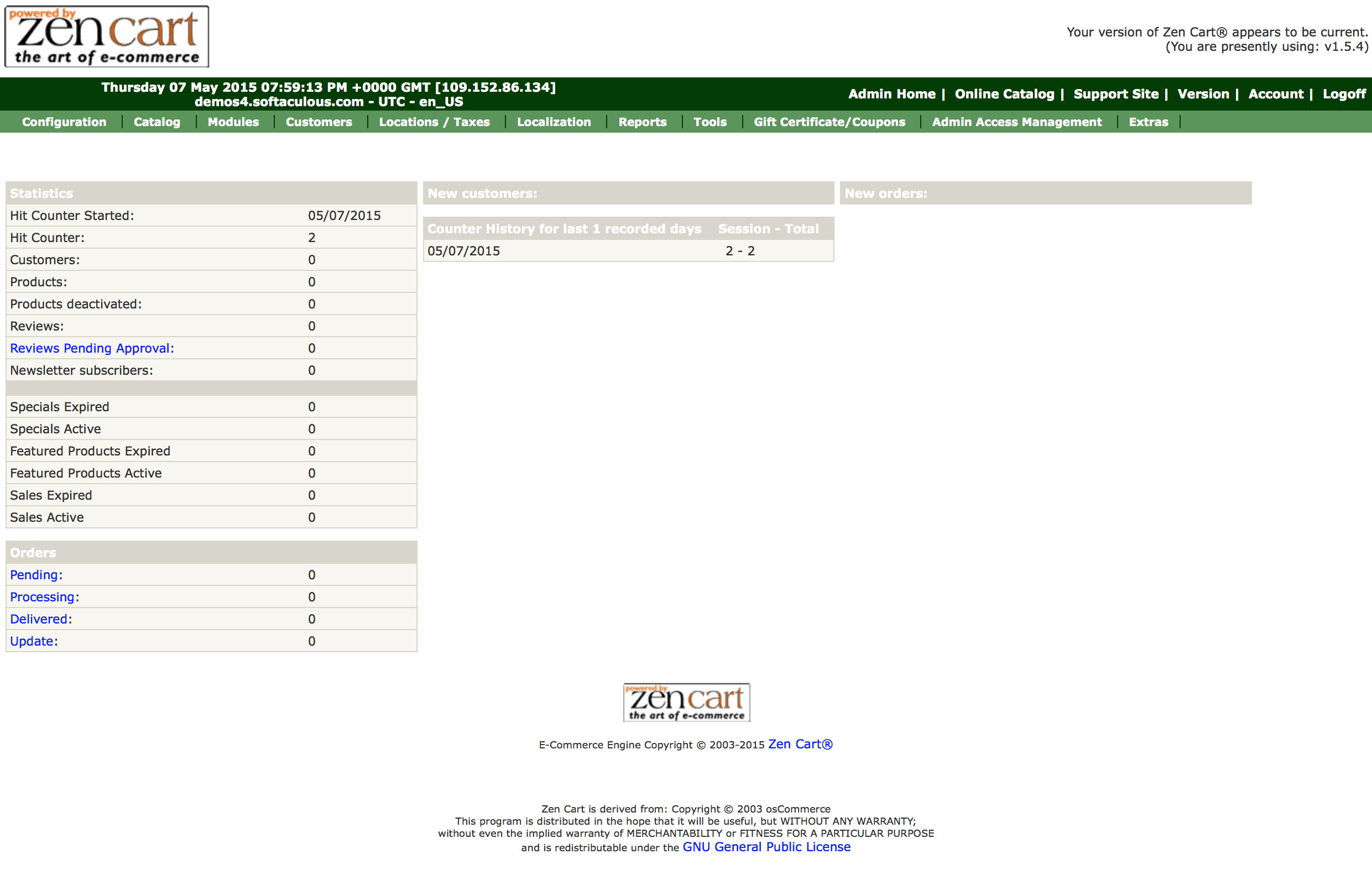
Operations are where stores win or lose time. Look for a backend that makes daily tasks straightforward—adding products, updating inventory, processing orders, issuing refunds, and generating basic reports.
\n\n
5) SEO and content management basics
\n
Your product pages aren’t just “catalog items”—they’re marketing pages. Confirm the platform supports clean URLs, proper metadata control, blogging or content sections (if relevant), and indexing-friendly page structures.
\n\n
6) Ownership, flexibility, and integrations
\n
Consider how much freedom you truly get:
\n
- \n
- Can you integrate with the tools you already use (accounting, ERP, CRM, email marketing)?
- How easy is it to customize key parts without hiring constant developers?
- What happens if your business outgrows the platform’s “easy path”?
\n
\n
\n
\n\n
7) Security, compliance, and ongoing maintenance
\n
At minimum, you want solid security practices, reliable updates, and safe handling of customer data. If you choose a self-managed option, maintenance becomes your responsibility.
\n\n
Top E-Commerce Platforms
\n\n
There isn’t a single “best” platform for everyone. The best choice depends on how you want to trade off speed vs. control, and simplicity vs. customization depth.
\n\n
Hosted SaaS platforms (fast setup, less maintenance)
\n
Hosted platforms typically provide hosting, backups, and updates. That can reduce operational overhead, especially for small teams.
\n
- \n
- Best for: teams that want to launch quickly and avoid infrastructure tasks.
- Watch out for: customization limits, transaction/plan fees, and integration constraints.
\n
\n
\n\n
Self-hosted platforms (more control, more responsibility)
\n
Self-hosted platforms let you manage hosting and often enable deeper customization. However, you take on maintenance and technical upkeep.
\n
- \n
- Best for: businesses with technical resources or ongoing development plans.
- Watch out for: update management, security patching, and the “integration tax” when tools change.
\n
\n
\n\n
Headless / API-first commerce (maximum flexibility, more building)
\n
These setups separate the storefront experience from the commerce back end. They can be excellent when you need highly customized front-ends or multiple consumer-facing apps.
\n
- \n
- Best for: brands with engineering bandwidth or complex customer experience requirements.
- Watch out for: higher initial complexity and the need to connect the pieces reliably.
\n
\n
\n\n
Pros and Cons of Each Platform
\n\n
Use this comparison to make trade-offs explicit.
\n\n
| Platform approach | Strengths | Common drawbacks |
|---|---|---|
| Hosted SaaS | Quick launch, managed infrastructure, simpler maintenance | Less flexibility for deep customization; fees or limits may apply |
| Self-hosted | More control over hosting and customization; potentially broad ecosystem | Security/updates are your job; operations can become technical |
| Headless / API-first | Highly customizable front-end; better for omnichannel experiences | More engineering; integration and performance work is on you |
\n\n
User Experience
\n\n
A platform can have excellent features and still fail in practice if the checkout and product browsing experiences feel clunky.
\n\n
What to check in the storefront
\n
- \n
- Mobile responsiveness: product browsing, cart, and checkout should work smoothly.
- Checkout friction: fewer steps, clear error messages, and fast payment flows.
- Search and filtering: customers should find what they want without guesswork.
- Trust signals: transparent shipping, easy returns, and visible contact options.
\n
\n
\n
\n
\n\n
What to check for your team
\n
- \n
- order management (status, tracking, refunds)
- product editing workflows (images, variants, attributes)
- reports that answer real questions (best sellers, conversion trends, fulfillment speed)
\n
\n
\n
\n\n
 \n
\n\n\n
Pricing Models
\n\n
Pricing is rarely just one number. Compare how costs change as your store grows.
\n\n
1) Subscription fees
\n
Hosted platforms often charge monthly plans based on features and scale.
\n\n
2) Transaction or payment-related fees
\n
Some platforms charge extra fees depending on payment methods. If you plan to process high volumes, a small percentage difference can become meaningful.
\n\n
3) Additional costs for apps, themes, and customization
\n
Marketplaces for integrations and templates can accelerate development—but they can also increase monthly spend.
\n\n
4) Self-hosting costs
\n
For self-hosted options, estimate hosting, domains, security tools, and (if needed) developer time for maintenance and updates.
\n\n
A Practical Shortlisting Checklist
\n\n
When you compare platforms, score each option against your priorities. If you’re unsure where to start, use this shortlist:
\n
- \n
- Launch timeline: can you go live within your required deadline?
- Core features: does it cover your product catalog + checkout needs?
- Operational fit: is the admin workflow comfortable for your team?
- Integration plan: can you connect payments, shipping, email, analytics, and accounting?
- Growth path: what changes when you add more products, regions, or marketplaces?
\n
\n
\n
\n
\n
\n\n
Next Step
\n\n
If your goal is to launch an e-commerce store while keeping administration and operations manageable, consider starting with a platform that matches your current complexity—and has a clear upgrade path. For software and digital workflow planning, an overview of AI consulting services can be a useful reference point when thinking about automation around store operations: AI integration services.
\n\n
Whatever you choose, verify your top requirements with a real test flow (browse → cart → checkout → fulfillment) before you commit.
\n\n
\n\n
External reading (platform documentation):
\n